
UDB2.2.2 - App Store
You'll be able to see results in few seconds.
Publisher Description
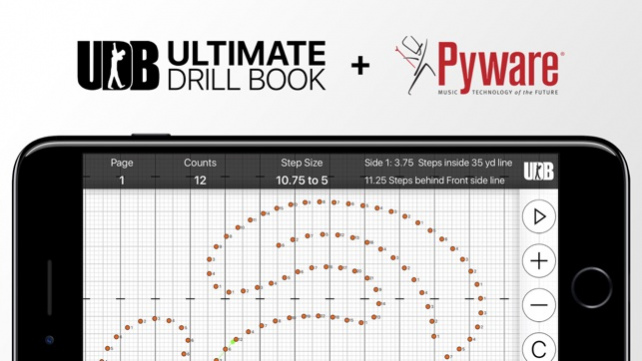
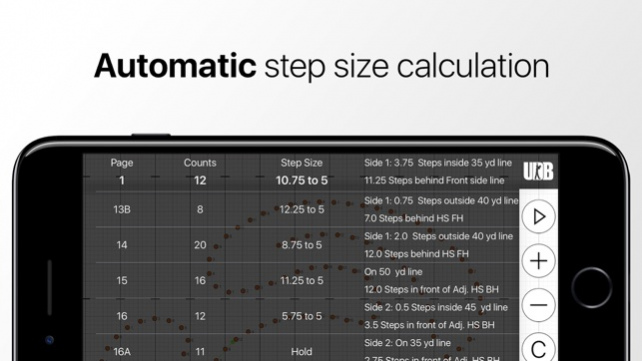
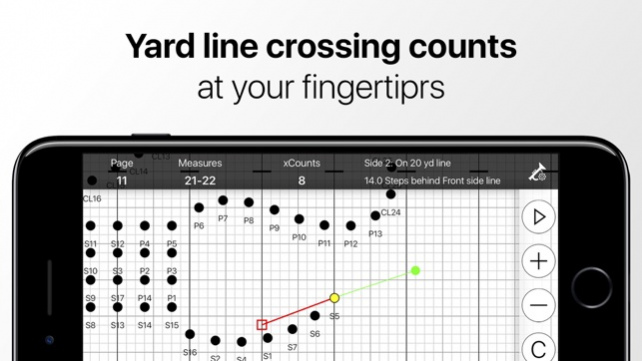
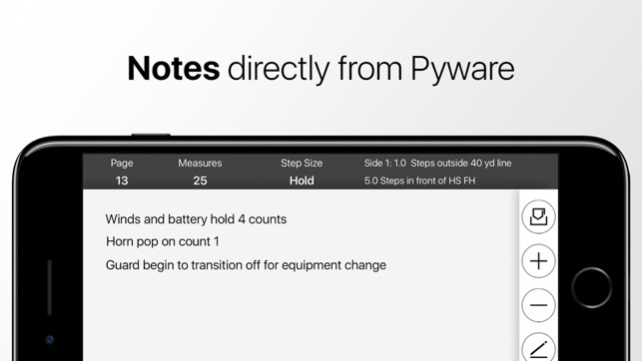
UDBapp is the best way for marching ensembles to learn and clean drill. By simply importing your Pyware 3D file, you'll be able to interact with your drill in ways you've never been able to before. The unique format of Ultimate Drill Book’s popular layout is now in your hands with special customization options not available anywhere else.
Features for Students
Watch the drill animation while listening to the music.
View your individual coordinate sheet for sets in a song or counts in a set.
Follow your drill count by count with live updating coordinates.
UDB view shows curved and straight-line path information for previous and next sets.
Student leadership can access any other student’s drill information.
Learn and clean drill in seconds after it's been exported from Pyware by the designer.
Features for Directors and Staff
Tap any performer to view coordinate and UDB view information.
Change field perspective (performer/director).
Easily add/delete drill files in your ensemble's account directly from your app.
Learn and clean drill in seconds after it's been exported from Pyware by the designer.
Differentiators
Custom view options allowing you to use UDBapp with just one hand
Easily find your midway points and yard line crossing counts
Easily switch between UDB View and Field View
Customization display options for surrounding performers
No confusing user interfaces
Jan 7, 2019 Version 2.2.2
UDBapp is now ready to be used for indoor percussion, indoor color guard, SoundSport, DrumLine Battle, and more! New features include:
- Support for floor covers from grid designer
- Support for floor covers from floor cover prop tool
- Improved zooming features
- Symbol and font size optimizations
- Bug fixes and stability improvements
About UDB
The company that develops UDB is MyDesignTeam. The latest version released by its developer is 2.2.2.
To install UDB on your iOS device, just click the green Continue To App button above to start the installation process. The app is listed on our website since 2019-01-07 and was downloaded 0 times. We have already checked if the download link is safe, however for your own protection we recommend that you scan the downloaded app with your antivirus. Your antivirus may detect the UDB as malware if the download link is broken.
How to install UDB on your iOS device:
- Click on the Continue To App button on our website. This will redirect you to the App Store.
- Once the UDB is shown in the iTunes listing of your iOS device, you can start its download and installation. Tap on the GET button to the right of the app to start downloading it.
- If you are not logged-in the iOS appstore app, you'll be prompted for your your Apple ID and/or password.
- After UDB is downloaded, you'll see an INSTALL button to the right. Tap on it to start the actual installation of the iOS app.
- Once installation is finished you can tap on the OPEN button to start it. Its icon will also be added to your device home screen.
Program Details
System requirements
Download information
Pricing
Version History
version 2.2.2
posted on 2019-01-07
7 Jan 2019 Version 2.2.2
UDBapp is now ready to be used for indoor percussion, indoor color guard, SoundSport, DrumLine Battle, and more! New features include:
- Support for floor covers from grid designer
- Support for floor covers from floor cover prop tool
- Improved zooming features
- Symbol and font size optimizations
- Bug fixes and stability improvements
version 2.2.2
posted on 2019-01-07
Jan 7, 2019 Version 2.2.2
UDBapp is now ready to be used for indoor percussion, indoor color guard, SoundSport, DrumLine Battle, and more! New features include:
- Support for floor covers from grid designer
- Support for floor covers from floor cover prop tool
- Improved zooming features
- Symbol and font size optimizations
- Bug fixes and stability improvements
version 1.3.1
posted on 2015-08-17
version 2.2.2
posted on 1970-01-01
2019年1月7日 Version 2.2.2
UDBapp is now ready to be used for indoor percussion, indoor color guard, SoundSport, DrumLine Battle, and more! New features include:
- Support for floor covers from grid designer
- Support for floor covers from floor cover prop tool
- Improved zooming features
- Symbol and font size optimizations
- Bug fixes and stability improvements
Disclaimer
Official App Store Link
We do not host UDB on our servers. We did not scan it for viruses, adware, spyware or other type of malware. This app is hosted by Apple and passed their terms and conditions to be listed there. We recommend caution when installing it.
The App Store link for UDB is provided to you by apps112.com without any warranties, representations or guarantees of any kind, so access it at your own risk.
If you have questions regarding this particular app contact the publisher directly. For questions about the functionalities of apps112.com contact us.
